Catalog and website from the same record
A title entered in the catalog shows up on the publisher's website, with cover, formats, and status.
View details about Catalog and website from the same recordFor university presses, commercial publishers, and editorial imprints, with a validated EPUB and protected access for classes and groups.

A title entered in the catalog shows up on the publisher's website, with cover, formats, and status.
View details about Catalog and website from the same recordIn Studio, the panel where the team works, the file is checked. Correction drafts enter the EPUB only when the team accepts them.
View details about EPUBCheck and Ace in StudioAccess can be granted by person, class, or group, and revoked when needed. The publisher tracks opens and reading progress.
View details about Protected reading for classes and groupsPosts, campaigns, and subscribers stay in the same environment as the catalog.
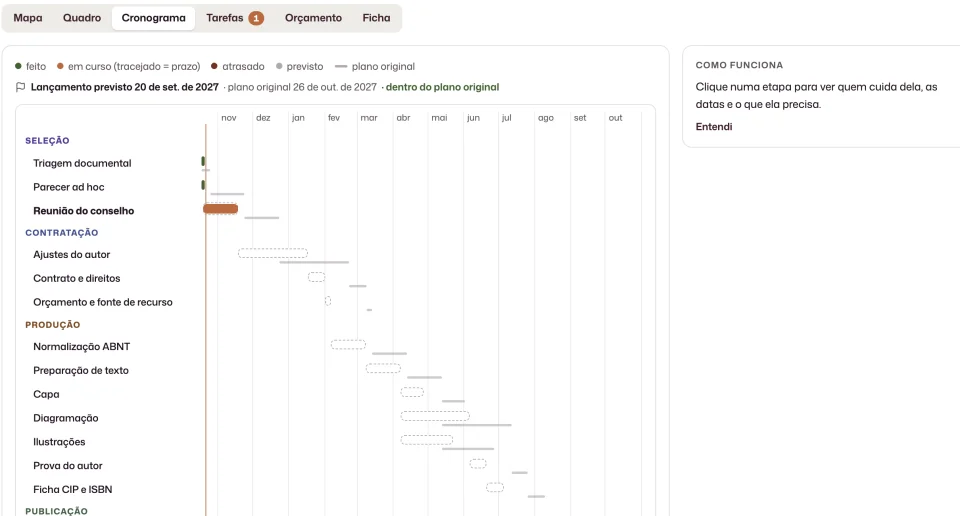
View details about Content in the same panelThe captures below show the Studio and real Papaya.Pub operations.
Books, contributors, formats, covers, ISBNs, and publication status stay organized for use across other channels.
View details for this area about Titles and metadata in a trusted source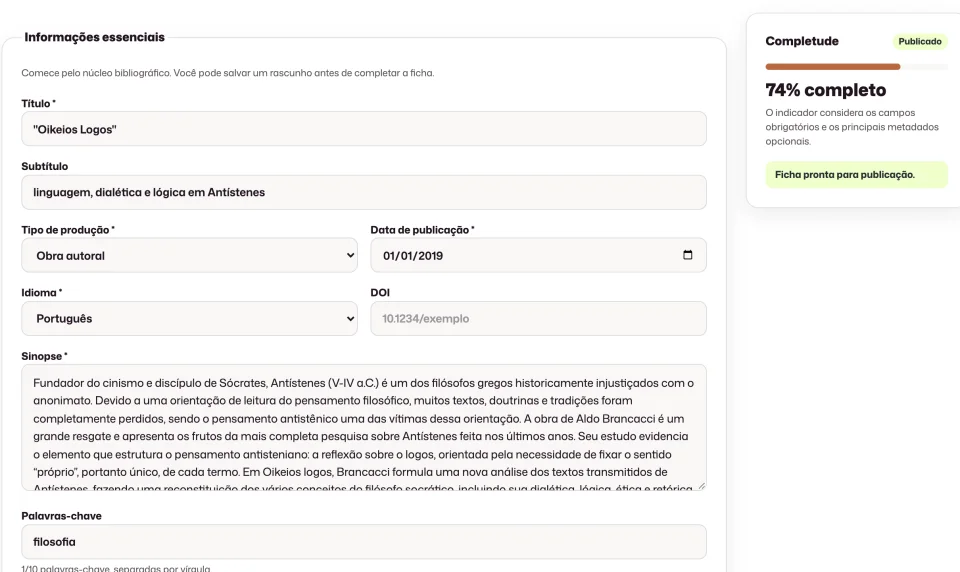
Each area has its workflow: prepare the book, organize the catalog, publish on the website and manage digital access. The team chooses the modules it needs and who can work in each one.
See who it is forPlans are tailored to the publisher's operation. The site does not publish prices. The demo starts from the team's routine.
Yes. In Studio, someone with permission downloads the template, imports the book spreadsheet, reviews the report, and confirms before anything is saved. New works land as drafts. Covers and files are added later, on the record. Each file accepts up to 200 books.
No. The record keeps the files and the distribution links. Sending to stores stays with the publisher's distributor.
No. ISBN and DOI are fields on the work record. Registering the identifier stays with the agency, outside the platform.
No. Drafts and repairs only enter the EPUB when the team accepts them.
Through the demo form or at contato@papaya.pub. The conversation starts from the publisher's routine.
The privacy policy describes the processing. On a publisher's website, the publisher is the controller and Omnidev acts as the processor. Each publisher has its own environment, with roles, permissions, sessions that can be revoked, and a history of published versions.
Purchasing is by proposal, on a plan tailored to the institution. Talk to the team to review the purchasing format for your institution.
Tell us how you manage your catalog, website, content, and reading today. The demo starts with your real process.
Plans tailored to your press.
Request a demo