Integrity
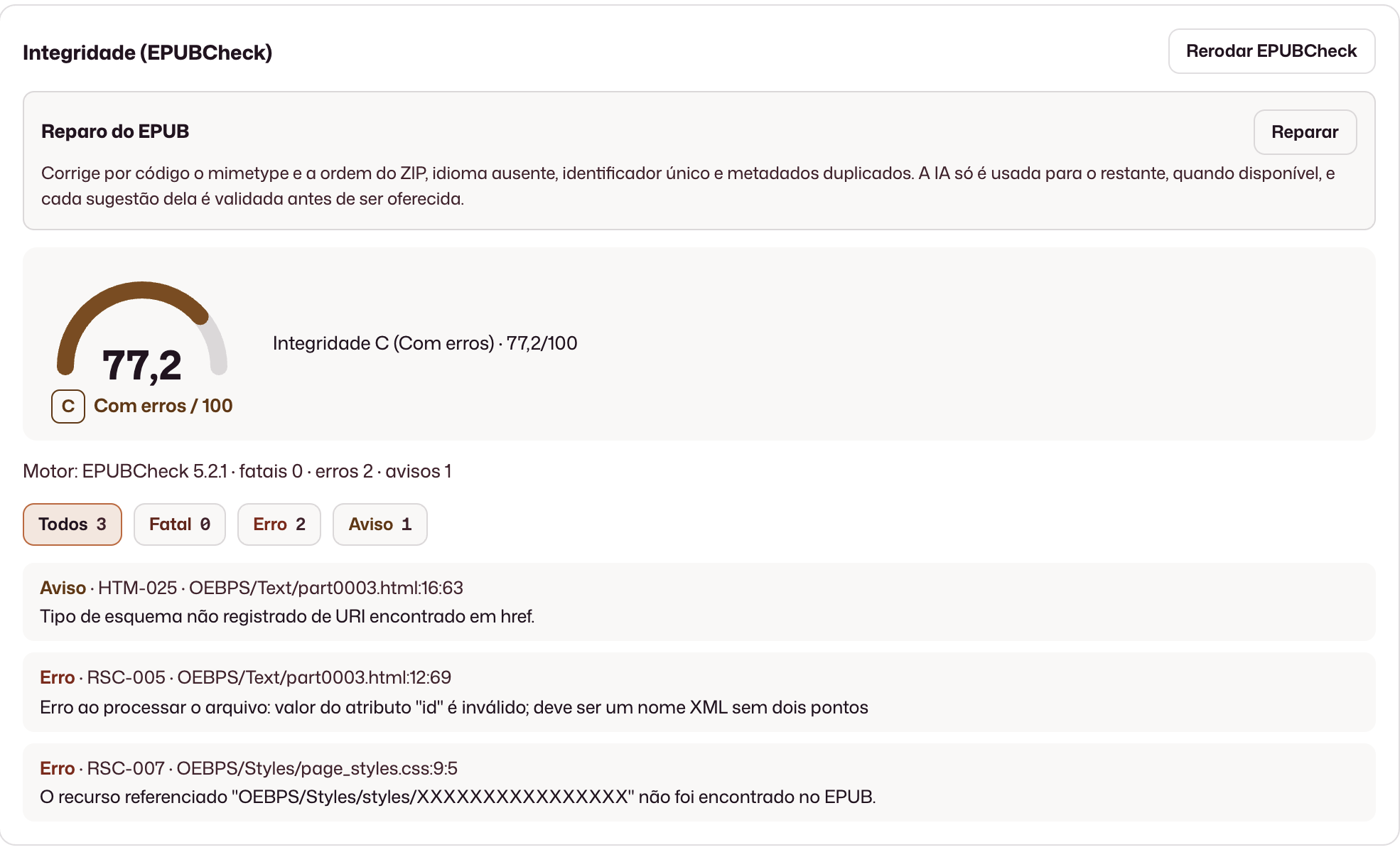
EPUBCheck flags fatal errors, warnings, and structural inconsistencies in the file.
Editorial quality
Check EPUB structure, accessibility and metadata before publication. The team consults the reports and reviews available corrections.
EPUBCheck flags fatal errors, warnings, and structural inconsistencies in the file.
Ace analyzes conformance and highlights what is missing for readers with disabilities.
Review the issues and available corrections before changing the EPUB.
Concrete results from working in this area.
An EPUBCheck report with severity, counts and issue locations to help the team prioritize review.
Ace analysis to identify EPUB accessibility issues and guide file adjustments.
Metadata, an editorial checklist and available corrections for review; changes require review and acceptance by the person working on the file.
Validation, accessibility, and assisted analysis in one module, with the team controlling what enters the file.
The work stays in the Quality module, without mixing into the published catalog, until the team decides the next step.
Structural integrity with severities, counts, and the location of problems in the file.
Accessibility conformance with categories and what is missing for readers with disabilities.
Extraction and review of what was embedded in the EPUB, aligned with the record the team checks.
Our editorial checklist with a score and recommendations before publishing.
AI drafts and fixes enter the EPUB only with the team’s explicit acceptance.
No. It is a separate module for inspecting files before or after editorial registration. Quality can be purchased on its own, without Vitrine.
After upload, jobs enter the queue and process in the publisher’s environment.
No. Drafts and repairs only enter the EPUB when the team accepts them.
The current focus is EPUB; basic metadata may cover other formats depending on the workflow.
The demo is tailored to your team’s real process.
Request a demo